
From a one-line thesis
to a qualified company list.
Evergreen turns a plain-language acquisition or sales thesis into an investment-grade list — searched from the Evergreen Index first, deduplicated, enriched, thesis-scored, and QA’d — in Claude, Codex, Cursor or any MCP client. Powered by the Evergreen API.
evergreen❯ commercial landscaping in Texas, owner-operated, no PE ● evergreen - start (MCP) ⎜ session opened · playbook: screen ⎜ Q1 size band? Q2 ownership? Q3 end market? ⎜ (answer choices from your org's schemas) ❯ 20–200 staff · founder or family owned · commercial only ● evergreen - find_companies (MCP) ⎜ 12 phrasings × 6 metros over the Evergreen Index ⎜ ~1,000 distinct companies · exact market count alongside ● evergreen - stage_run (MCP) intake → screen → score ⎜ deduped · blocklist + ledger applied · ranked ● Add Google Maps + Exa for metros the Index covers thinly? ❯ not now ● evergreen - stage_run (MCP) export # qualified targets — ranked, with reasons and provenance download: commercial-landscaping-tx.xlsx
What it does
Not single-company research — whole lists.
Where research answers questions about one company, Evergreen builds and qualifies the entire universe of companies that match a thesis.
Evergreen Index first
Every search starts in the Evergreen Index — 0.1 credit per company, once per session, and fast: many phrasings across every location at once, with an exact count of the market beside what was reached.
Asks the right questions
Size, ownership, end market and location questions come from your own schemas, so the answers become the filter plan. A missing condition gets a proposed schema instead of a guess.
Live discovery, on consent
Google Maps POI, Exa neural search and Ocean.io lookalikes run only when you approve them — then fan out across metros and queries and dedupe by registrable domain.
Human gate before money moves
Paid research runs as a 50–100 company pilot you review first. The full pool waits until accuracy clears 90% — no batch of credits is spent on a schema that has not proven itself.
Independent QA
Mandatory ownership re-verification flags PE roll-ups that look independent; reserved coverage probes catch what the main run missed. Confirmed roll-up brands feed a curation queue for future runs.
Every step on the record
Each run is a server-side session: every tool call, answer, gate and saved stage is recorded, so a run resumes from any client and the whole journey is auditable in the platform.
Plain-language → list
Describe the target profile in a sentence — or attach a spreadsheet, PDF or document of companies and ask a question about them. No commands to learn.
Any MCP client
One connector and nothing to install. Claude chat, Claude Code, Codex, Cursor and Copilot all get the same tools and the same full pipeline.
Pipeline
Intake → Evergreen Index → screen → enrich → shortlist → QA → export → sign-off.
Every run is a server-side session — every tool call is recorded, and any client picks up exactly where the last one stopped. Credit gates sit between stages, paid discovery waits for your consent, and the pipeline stops for a human before money moves and again before anyone is contacted.
Intake
The ask is read before anything is searched: the scenario, the trade in several phrasings, the geography expanded (“Sun Belt” becomes its states), and the few questions that decide the list — size, ownership, end market — with answer choices drawn from your organization’s schemas. Where no schema covers a condition, one is proposed. You also name two or three companies that must appear, so the run can show it found them.
Context
When there is a buyer to research — a PE backer, a platform to bolt onto — the firm and its portfolio are studied first, producing a thesis and a buy-box that seed the plan. Skipped when the request is self-contained.
Evergreen Index first
The Evergreen Index is searched before anything is bought: many phrasings of the trade across every location in one call, unioned, with an exact market count beside what the search reached. 0.1 credit per company, charged once per session, and usually seconds.
List Building, on consent
Only if you approve it: live discovery through Google Maps (POI), Exa (neural) and Ocean.io lookalikes, cross-source deduped by registrable domain with website resolution and per-source provenance. The server refuses a List Building call that no one approved, and the PE/franchise blocklist is applied at discovery.
Intake screen
Server-side screening before a credit is spent: dedupe, your project blocklist, the client’s conflict ledger, and website-gap flags. A ranked preview lands here too, so a simple ask can stop at zero spend.
Enrich + Filter
Free page evidence first, then re-extraction of research already paid for, then paid research on survivors only. Tier 1 runs as a 50–100 company pilot behind a review gate — the full pool does not run until accuracy clears 90% or you explicitly override.
Shortlist
Hard requirements first, then a scored checklist on the survivors — every company carries the reason it passed and what is still unverified. Ranked, not just listed.
QA
An independent judge on the server spot-checks finalists against the evidence, re-verifies ownership on every sampled company (catches PE roll-up brands that keep local names), and runs reserved coverage probes for misses.
Verify + Export
Website liveness, HQ and legal name are verified, and export blocks while any issue is unresolved — a deliverable never ships with a dead link or a wrong HQ. You get an XLSX or CSV download link.
Sign-off
The human approval gate. Conflict checks, territory rules, a partner’s eyeball — whatever your review is, the pipeline stops and waits. It never auto-passes.
Contacts
Strictly opt-in and always last: ownership-level leadership, LinkedIn, email and phone — for approved companies only.
Example theses
Built for proprietary deal sourcing.
Owner-operated, 50+ staff, no PE
"Commercial landscaping companies in Texas, owner-operated, 50+ staff, no private-equity ownership." Searched from the Evergreen Index, PE/franchise-screened, thesis-scored, exported with websites + provenance.
Local roll-up candidates
"Founder-owned HVAC and plumbing businesses within 90 miles of Tampa, with company profiles." Multi-wave local discovery + size/HQ/leadership + a fit score against your thesis.
Sector sweep, consolidators excluded
"Independent veterinary clinics in the Southeast, excluding corporate consolidators, ranked by acquisition fit." Discovery + blocklist screening + QA ownership re-verification before delivery.
Install
One connector, any client.
Evergreen is a single MCP endpoint with 15 tools — no plugin, no skills, nothing to download. Every client gets the full pipeline — sessions, stages, QA and exports live on the server, so there is nothing to install and no files on disk. You’ll need an Acqwired API key (request one).
Claude Desktop and claude.ai
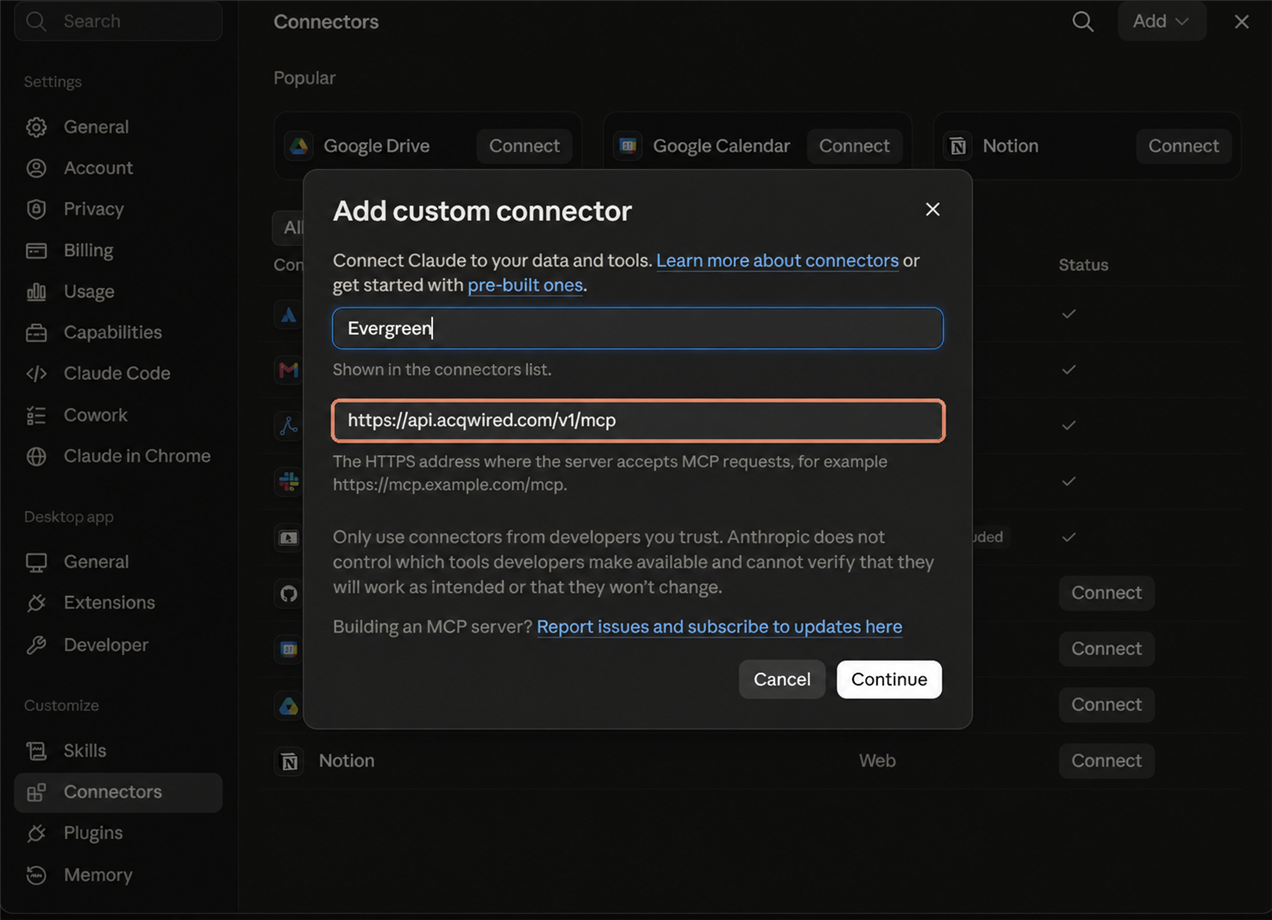
Add the MCP endpoint as a custom connector. The same steps work on claude.ai in a browser.
Open Settings → Connectors
Name it and paste the MCP endpoint
https://api.acqwired.com/v1/mcp
Connect and authorize
evergreen_…) and click Authorize. The key is exchanged once for a session token and is not stored by Claude.Check it works
account and come back with your balance.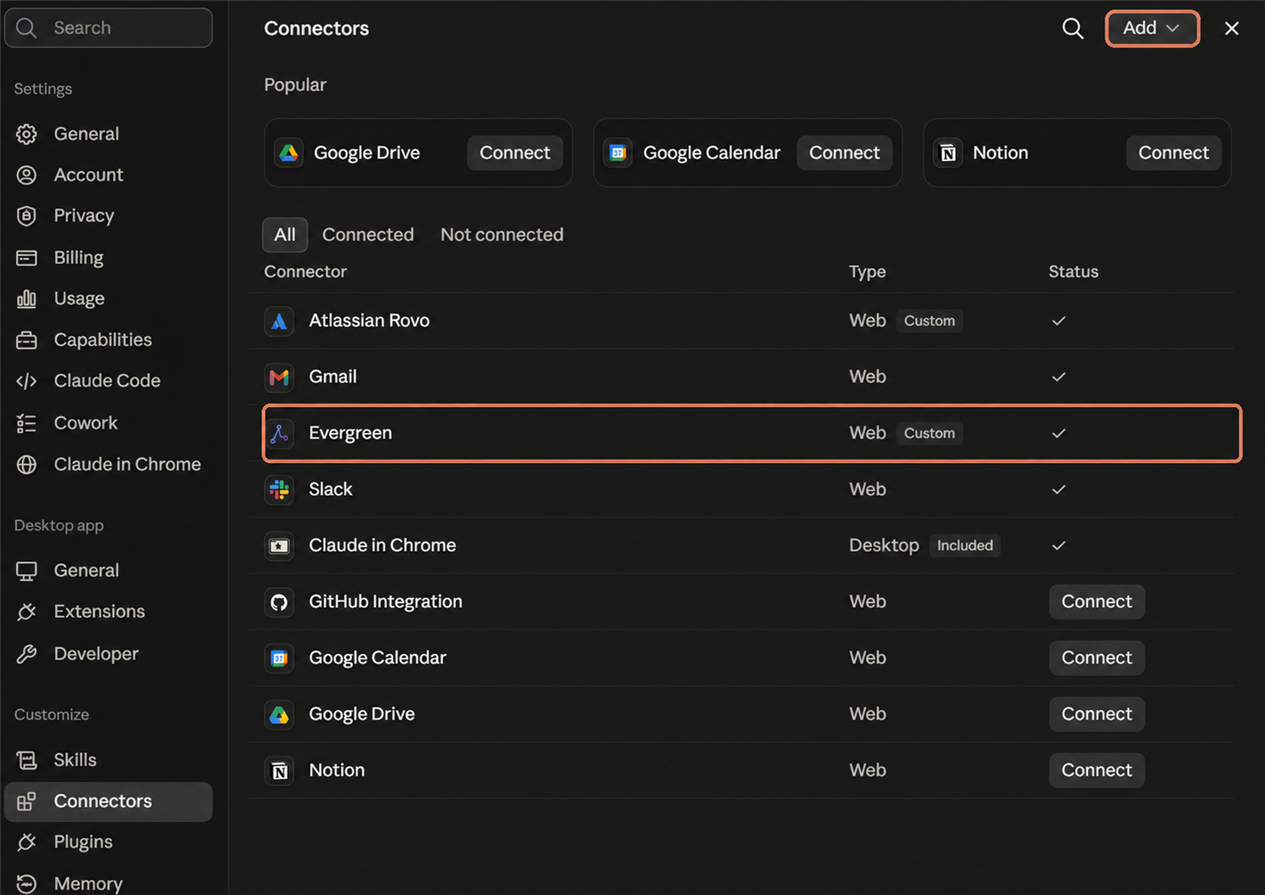
Seeing “Contact an organization owner to install connectors”? Your Claude Desktop account is on a managed org plan. Ask your org admin to enable connector installation in Settings → Organization → Permissions, or use a personal Claude Desktop account instead.
Claude mobile app
iOS and Android connect to the same MCP endpoint as a custom connector — no plugin, no marketplace. Add the URL once, paste your key in the sign-in sheet, and the full Evergreen pipeline is available in any chat on your phone.
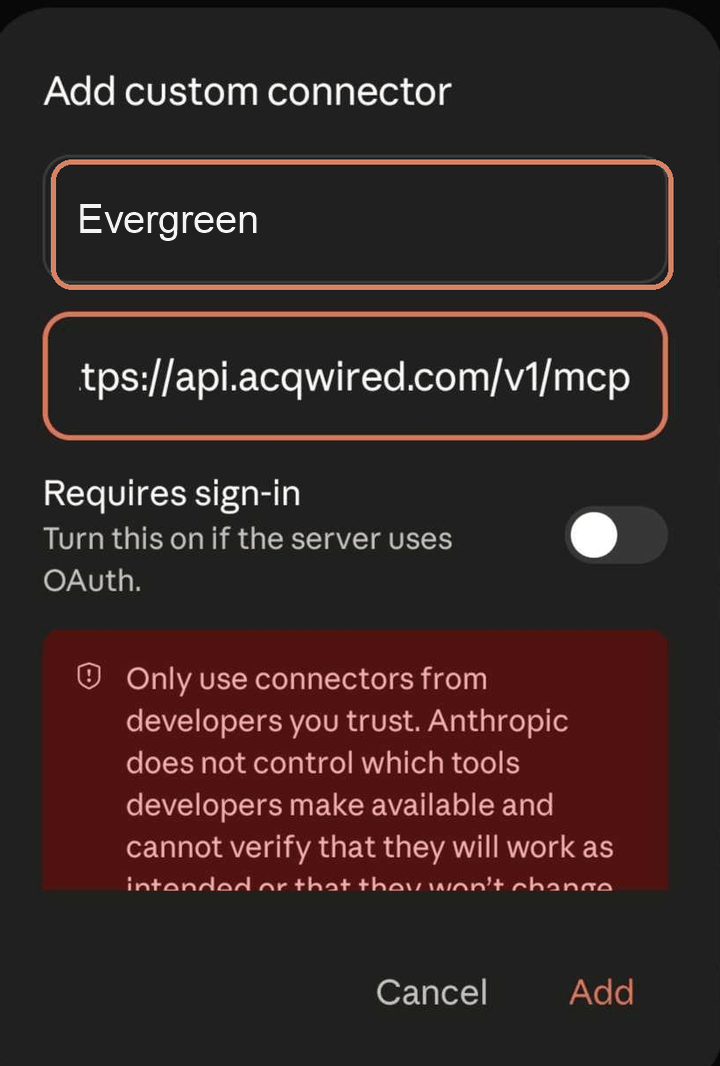
Open Settings → Connectors
Add a custom connector
https://api.acqwired.com/v1/mcp
Leave Requires sign-in off — the server advertises its own OAuth, so Claude discovers it and prompts you on the next step. Tap Add.
Open the authentication page
Paste your key and authorize
evergreen_…) and tap Authorize. The browser closes itself and Claude stores the token — the key is exchanged once and is not kept by Claude.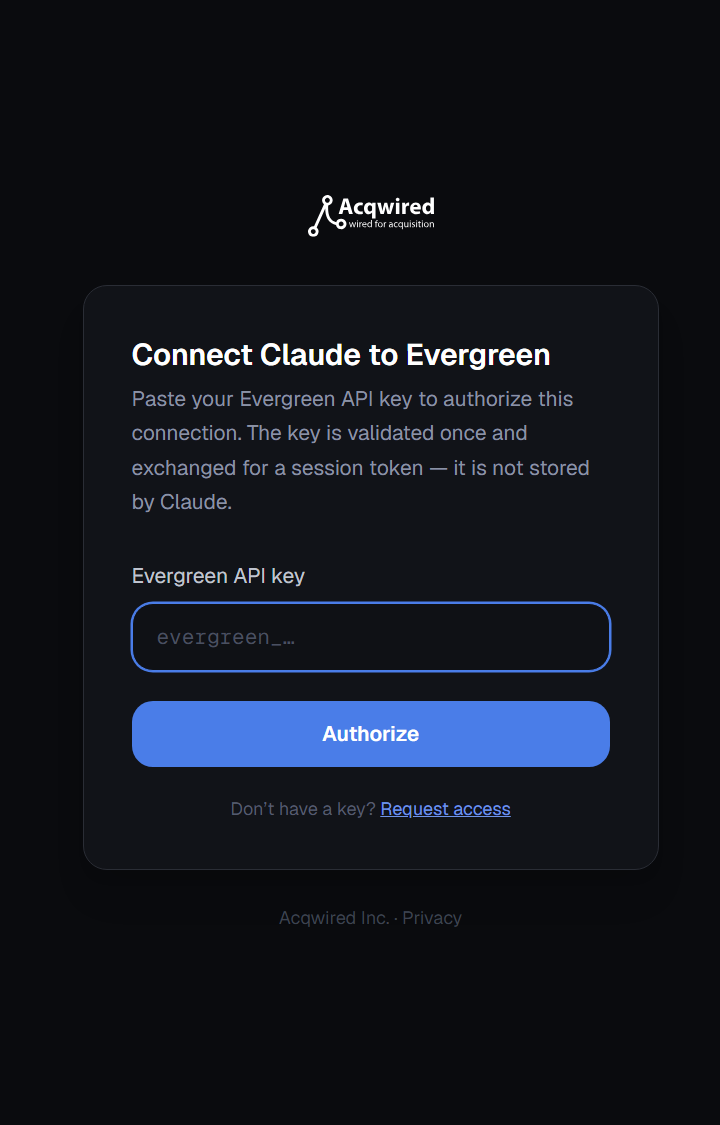
Check it works
account and come back with your balance.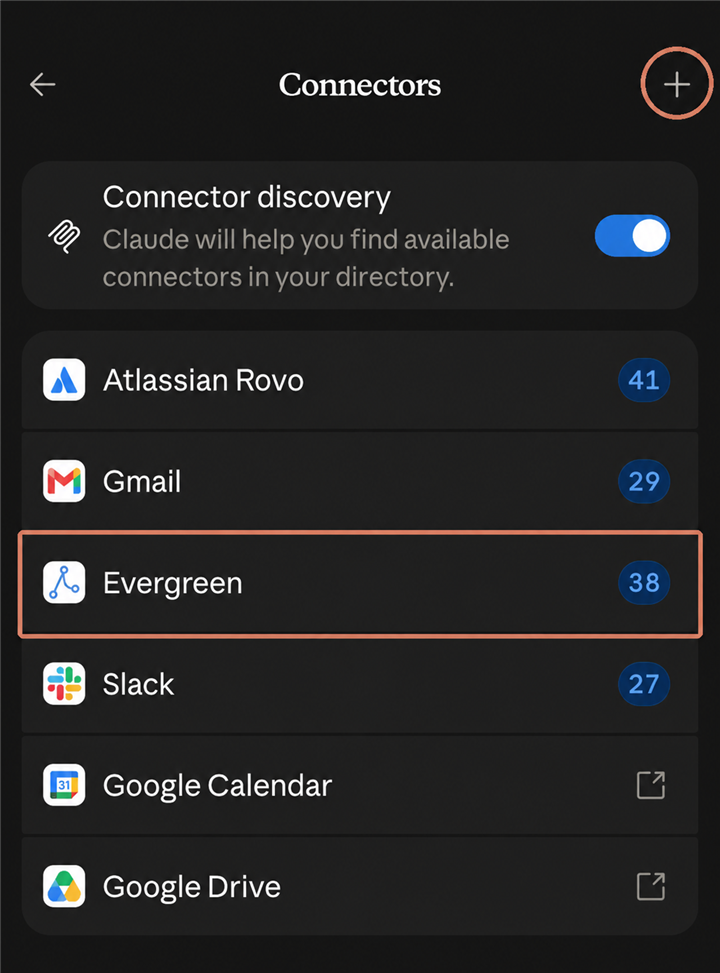
Claude Code (CLI)
Register the endpoint, then authorize it — that is the whole setup:
claude mcp add --transport http evergreen https://api.acqwired.com/v1/mcp# then, inside Claude Code: /mcp → evergreen → Authenticate# (a browser opens — paste your evergreen_ key once)No browser available? On CI or a shared machine, register it with a static header instead: --header "Authorization: Bearer evergreen_…".
Codex, Cursor, Copilot and other MCP clients
Add the same URL as a remote (streamable HTTP) MCP server. OAuth is discovered automatically — your browser opens once for the key. Clients that do not support OAuth can send the header Authorization: Bearer evergreen_… instead.
https://api.acqwired.com/v1/mcp